Best free interactive maps online [key features + free indoor mapping software]
Last Updated
Oct 07, 2026
Published On
May 28, 2026
 189
189
Table of Contents
![Best free interactive maps online [key features + free indoor mapping software]](https://cdn.moonapps.xyz/wp-content/uploads/2026/05/28102640/Blog-image.jpg)
Quick summary:
In this comparison guide, discover the best interactive maps online free for events, concerts, route planning, visitor navigation, and more. Here, we compare YourMap by Moon, Google My Maps, Scribble Maps, ZeeMaps, BatchGeo, Canva Maps, and Visme in detail. Plus, expert tips to help you choose the right mapping software for your needs
Interactive maps have come a long way from the days of simply dropping a pin and calling it a day. Whether you are plotting vendor locations for a festival, building a virtual campus tour, visualizing sales territories, or just helping friends find the best taco spots in town, what you need is a map that actually works for you, isn’t it?
Absolutely. The internet is flooded with free interactive maps online, and not all of them deliver when it counts. That is why we have handpicked the best interactive maps online free that are worth trying in 2026.
A comparison of all 7 best online interactive maps
Here we compare the best interactive mapping platforms that we evaluated based on key factors like customization, user-friendliness, collaboration, and map-sharing capabilities.
| Free interactive maps | Best known for | Descriptions |
|---|---|---|
| YourMap by Moon | It is a custom map creator free, mostly used for indoor navigation, QR-based access, and event wayfinding | The modern interactive and free mapping program is designed for large events, exhibitions, campuses, and businesses that need real-time visitor navigation |
| Google My Maps | Route planning and finding precise locations across a specific region | This is a go-to navigation tool for beginners. Ideal for commuters, travel maps, simple business maps, and educational projects |
| Scribble Maps | Create and share interactive maps online | A mapping tool that allows users to create detailed custom maps with their drawing skills |
| ZeeMaps | Map categorization and territory mapping | ZeeMaps is another mapping platform that assists users in generating maps using spreadsheets |
| BatchGeo | Converting the spreadsheet into maps and bulk geocoding | It is a web-based mapping tool, capable of converting Excel or CSV data into maps without any technical knowledge |
| Canva Maps | Drag-and-drop design and infographic maps | The free mapping platform is used to create visually engaging maps with customizable templates and drag-and-drop editing tools. |
| Visme | Readymade map templates to create beautiful maps | It is an online map generator where users can edit maps directly in templates, so that there is no need to make maps from scratch. |
What are free interactive maps?
Basically, they are dynamic digital maps helping users to zoom and tap on map elements in order to retrieve information about a specific location. Which means users can explore the necessary information and reach the right destination.
The best part is that they don’t have to pay hefty money like other expensive custom mapping software. They can utilize these maps for trade shows and exhibitions, real estate listings, and event venue navigation at no cost.
Meticulously built for event planners, travelers, and organizers, they allow users to generate digital maps for their stalls, booths, events, and other specific areas. Using which, the visitors can quickly find the exact location without making any additional stops.
Unlike static maps, these interactive maps are completely digital. Users click on locator maps, filter out categories, as well as access live directions. Such maps support mobile-friendly navigation.
7 most popular interactive maps online tools
Here, we have compiled a list of the best tools to create interactive map free. Let us go through them one by one.
1. YourMap by Moon
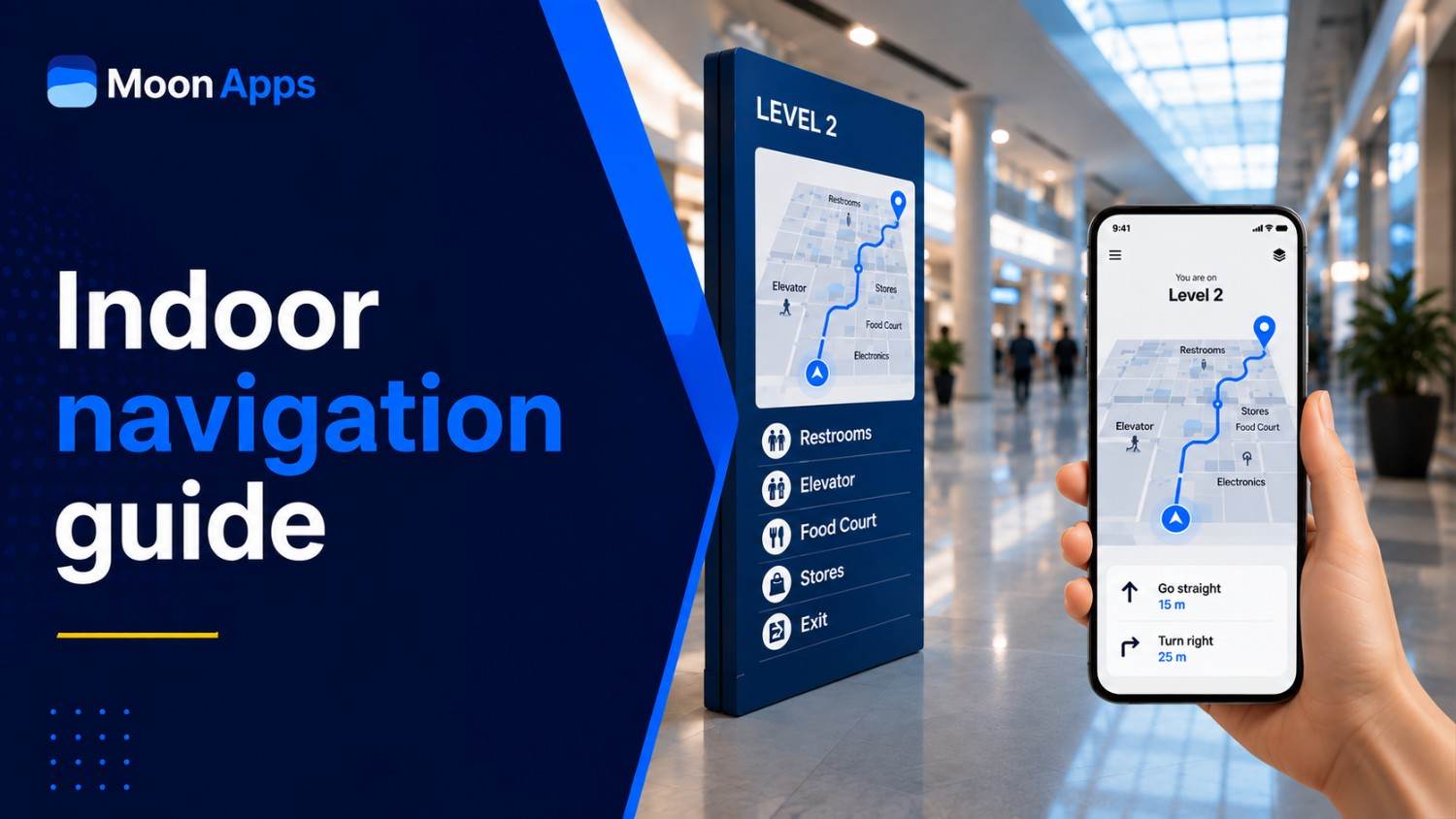
YourMap by Moon, free indoor mapping software, allows creating interactive maps for events, exhibitions, campuses, or businesses to boost visitor navigation experience. It’s one of the standout custom map makers that is designed to deliver real-time interactive navigation experiences for both organizers and visitors.
Interestingly, your visitors get QR-based accessibility to reach a specific spot amid heavy footfall in large events like concerts and property expos. They can scan a QR code to get real-time directions in order to reach their destination. Which means YourMap by Moon will guide them to the exact location of the stalls, seats, or wherever you want your visitors to come, inside the venue. Something that even many popular navigation platforms do not provide.
With YourMap by Moon, you can:
- Boost visitor engagement
- Offer simplified navigation
- Share exact meeting points
- Cut off extra wait times
- Manage multiple locations using a single map
Want to design custom maps?
Bring your event maps to life with YourMap by Moon in 2 minutes or less.
Build Maps for Free
2. Google My Maps
Google My Maps hardly needs any introduction, does it? Travelers looking to create simple custom maps can build event maps on the go. This navigation platform allows people to add new locations, create layers, and share them with others in a few clicks. Moreover, it stays connected with Google services, which means users can also share maps easily across teams and other devices.
Google My Maps, however, only allows businesses and event organizers to design maps of venues. Despite being a go-to platform for organizers, Google My Maps still does not help you create a map of the stall or the seat, located inside the venue. Users familiar with Google Maps will have no problem using Google My Maps and can organize multiple destinations into a single interactive map.
3. Scribble Maps
Scribble Maps ranks among the top free interactive map makers due to its quick map sharing. Individuals who do not want to create a basic map with ordinary pins can go for this amazing custom map maker. It is specifically designed for users seeking more control over how they design a map.
As a user, you can draw beautiful maps by creating custom shapes, adding annotations, and even personalizing map layers in detail. In short, you can fully customize online maps, along with GIS-style functionality. That said, it comes out as a perfect option for users who prefer visually engaging and informative maps over static maps.
4. ZeeMaps
ZeeMaps, an online free interactive map maker, is made for both personal and business use. With ZeeMaps, what users can create is interactive maps using spreadsheets, custom markers, and location-based datasets. Organizers can even upload bulk location data through Excel sheets or CSV files, eliminating the need to re-type location names. Thus, making it capable of managing multiple stores, sales territories, and franchise locations.
Apart from that, ZeeMaps also brings simplicity combined with data management flexibility. Based on user preferences, users can categorize markers, assign custom icons, and organize locations into layers. This allows it to perform exceptionally well for business location mapping. Although it lacks advanced features for venue navigation, ZeeMaps still remains a strong contender as a reliable mapping solution.
5. BatchGeo
BatchGeo is another mapping solution that turns spreadsheet data into interactive maps.
Unlike some basic interactive map builders, BatchGeo focuses on helping users create interactive maps with Excel sheets, CSV files, or Google Sheets within a few minutes. The platform is made for professionals who work with large sets of location-based data. There is no need to add pins one by one, but you can upload or paste a spreadsheet containing map information.
The biggest perk of utilizing BatchGeo is that you get unparalleled simplicity and speed. Well, you don’t need GIS knowledge, coding skills, or software installations to create functional interactive maps. It supports marker grouping and basic clustering, which aids users in data visualization more clearly. So, if you are still wondering about a data-driven mapping solution, BatchGeo can be a perfect choice.
6. Canva Maps
Canva is the top pick for website designing and enhancing user experience, but few people know it also supports custom map designing. Commonly popular for its drag-and-drop simplicity, Canva Maps allows users to make custom maps for social media and marketing campaigns. Later, organizers can share with their guests, so they can find the correct location.
Like other mapping platforms, users can customize map layouts, change icons, labels, and colors the way they prefer. And therefore, no wonder why Canva Maps deserves a place among the best interactive maps online free. Individuals with no prior designing experience can also make polished maps. Once created, maps can also be exported in multiple formats. That way, users can create maps that look far more polished than ordinary static layouts.
7. Visme
With Visme, users can design maps that are visually more engaging as it transforms location-based information into interactive visual experiences. One thing that separates Visme from several other free interactive map makers is its emphasis on interactivity. That’s not all, you can add hover effects, animations, and pop-ups to make maps appealing. It will offer more of a presentation-oriented experience rather than a purely navigational one.
Visme, a custom map creator, is useful for tourism guides, office walkthroughs, educational content, and exhibition overviews. You can prefer Visme when you want to visualize geographic data. Plus, users can also embed maps into websites, presentations, or online reports to improve accessibility and audience engagement as well.
Navigate seamlessly with YourMap by Moon
Like us, your attendees also hate app friction. Design a map that opens without a login and enhances the navigation experience.
Build a Custom Map
How to choose the right free mapping software [expert’s tips]
Still, somehow you ain’t sure which one to pick up as a perfect mapping navigation solution, then here are some expert-written tips to help you out.
1. Know what exactly you need
First, always find out what are your requirements. Learn whether you need a map for public access or internal use. Remember, some tools are designed for event navigation and territory mapping, while others focus only on route planning. Therefore, evaluate very carefully.
2. Prioritize customization
Double-check for in-app customization, which plays an active role in building beginner-accessible maps. As a user, you should be able to customize the map in a way that matches your branding, navigation needs, and user experience, of course.
3. Check for audio navigation
Audio navigation, an extremely valuable feature, is unmissable for organizers looking to aid people with special needs. This feature guides them through large venues or exhibition halls and significantly reduces confusion when navigating their spot. So, make sure it’s available.
4. Look for map sharing options
Making a new map is only half the job. Because you ultimately need to share maps across online and offline channels. That said, you must watch out for map-sharing options like QR-based or WhatsApp sharing before you choose any navigation tool.
5. Assess spatial analysis capabilities
Do not choose free mapping software based only on visual appearance. You must pay close attention to its spatial analysis capabilities as well. It will aid you in understanding, organizing,
and visualizing location-based data very efficiently.
Final words: who wins in 2026?
To sum it up, there is no single winner when it comes to selecting the best online interactive maps for free. While Google My Maps works well for basic route planning and collaboration, tools like YourMap by Moon help navigate what’s inside the venue.
Not to brag, but yes, if you are looking for venue navigation, visitor engagement, real-time guidance, and audio navigation, then YourMap by Moon is your best bet. It also stands out in 2026 because of AI-first features like what’s around me and text-to-speech. Amazingly, it is pretty easy to use for any non-technical person.
It does not really matter whether you are organizing concerts, trade shows, property expos, or any community programs. YourMap by Moon can really make your visitors’ lives easier. On that note, we recommend you build your first custom map now. Start making it for free.
FAQs
YourMap by Moon, Google My Maps, and Scribble Maps are among the top interactive map makers. YourMap by Moon has a clear edge due to its ability to create maps that allow visitors to navigate stadiums, large events, and expos. Once created, maps can be added to public or private listings.
Definitely, you can customize and generate a new map as fast as twice when you are using YourMap by Moon. It is the custom map builder that enables users to make an interactive map the way they prefer using the free plan.
Yes, they are free of cost. You can make a map for your guests using Google My Maps, but it will only take you to the doorstep, not beyond that. Google interactive maps, notably, provide limited customization, and you can only add 10 layers per map.
YourMap by Moon, an online free mapping platform, does help your visitors and first-time attendees locate your stall or booth amid heavy foot traffic. You can make a custom map highlighting your stall location, and YourMap by Moon will assist visitors in finding the right location as quickly as possible.
YourMap by Moon is the best bet for small and large events, expos, concerts, and community programs. With such free mapping software, you can enhance visitors’ navigation experience without breaking the bank.
Yes, you can. When you have the best interactive map maker, YourMap by Moon, you can generate appealing and interactive maps instead of static maps for your visitors. With YourMap by Moon, building a custom map hardly takes a minute or two.
Share Article: